What does the ContentLab demo show?
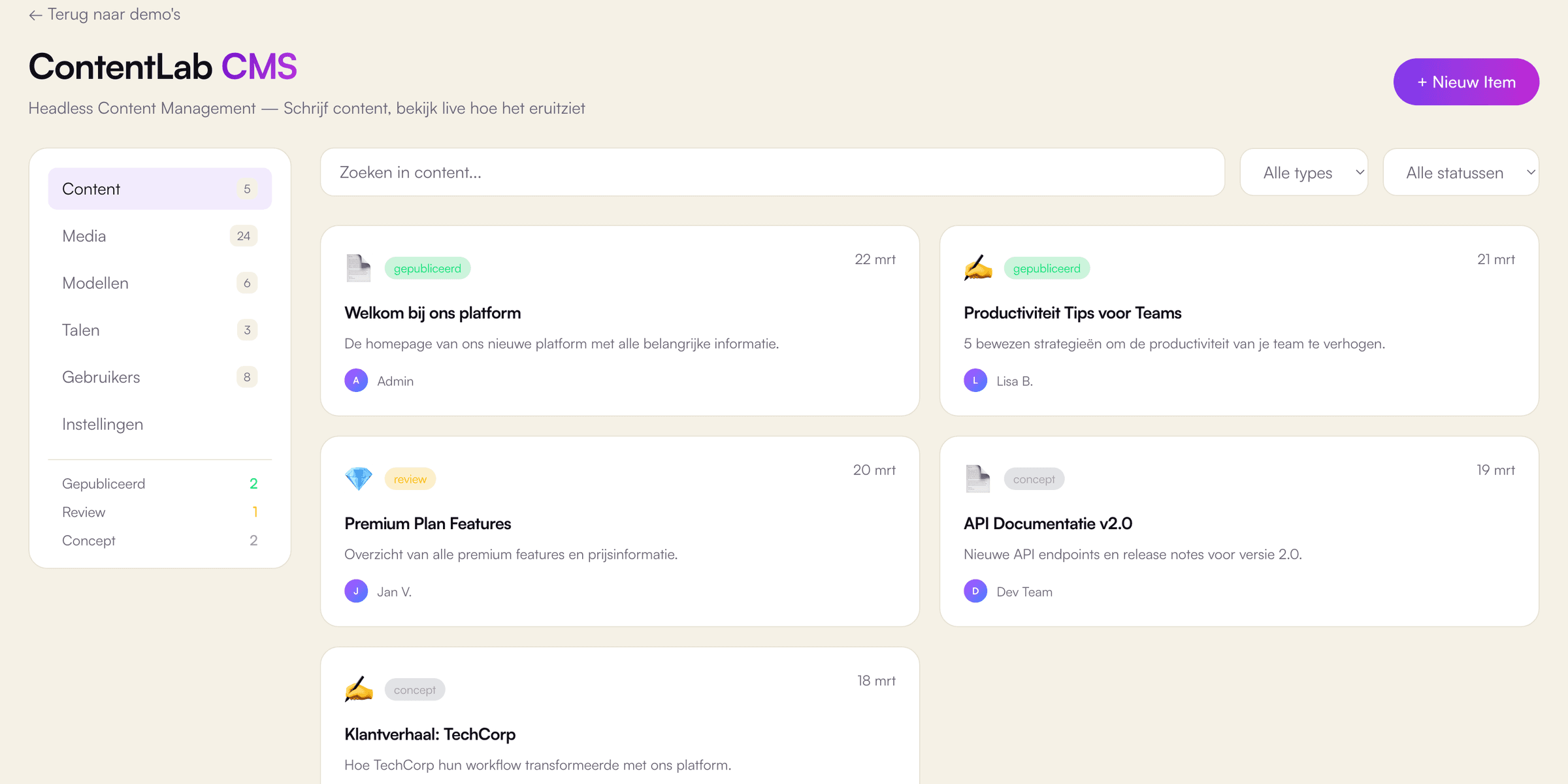
The ContentLab demo is a content management interface, built by VirtuoLab with React, Next.js and TypeScript to show editing with a live preview. A tour takes three steps. Step 1 is the overview, which lists 5 sample content items, for example pages, blog posts and a product page. Each item carries a status of published, draft or review, and the sidebar counts the items per status. Step 2 is a click on an item, which opens the editor with fields for the title, a short summary and the body text. Step 3 is the preview pane, which renders the page as a visitor would see the article, including a URL slug generated from the title. The preview updates on every keystroke and switches between desktop, tablet and mobile widths. Additionally, the editor shows an author field, language buttons for Dutch, English and German and an SEO title for search engines such as Google. In the demo, saving, publishing, search and the formatting buttons are visual only.
Which business problem does a custom CMS like ContentLab solve, and for whom?
A custom CMS like ContentLab solves the problem of content editors who cannot see the result of an edit until the page is live. Marketing teams, publishers, webshops with many product pages and organisations with content in several languages benefit most. A standard CMS often shows a form with fields, while the real page looks different on a phone. A live preview per device removes guesswork and saves correction rounds. Additionally, clear statuses such as draft, review and published give a small team a simple approval flow. In practice, a custom CMS makes sense when content has a fixed structure, for example products, vacancies or locations, and a generic editor gets in the way. For a simple company website, a site built with WordPress is often the better and cheaper choice. According to W3Techs, WordPress powered 39.7% of all websites and 58.4% of websites with a known CMS in October 2026. VirtuoLab gives an honest recommendation on both options, based on the budget.
How does VirtuoLab build a content management system for a real business?
VirtuoLab builds a content management system for a real business by starting from the content model, not from the editor. Step 1 is a scope session about content types, fields, languages, roles and the approval flow. Step 2 is design and validation: the editor and the preview are tested with real texts from the business. Step 3 is building and testing, for example as a headless setup with Next.js for the website and PostgreSQL or MongoDB for the content. In a real project, VirtuoLab adds login, roles, media storage and a publication history, which the demo lacks. Media handling deserves care: according to HTTP Archive's Web Almanac 2025, the Largest Contentful Paint element on 76% of mobile pages is an image, so uploads should be resized automatically. Finally, step 4 is launch and support. As an indication, a medium-sized web app costs €10,000 to €25,000 with a lead time of 6 to 12 weeks. The exact price follows after a free introductory call.