What does the VirtuoBI demo show?
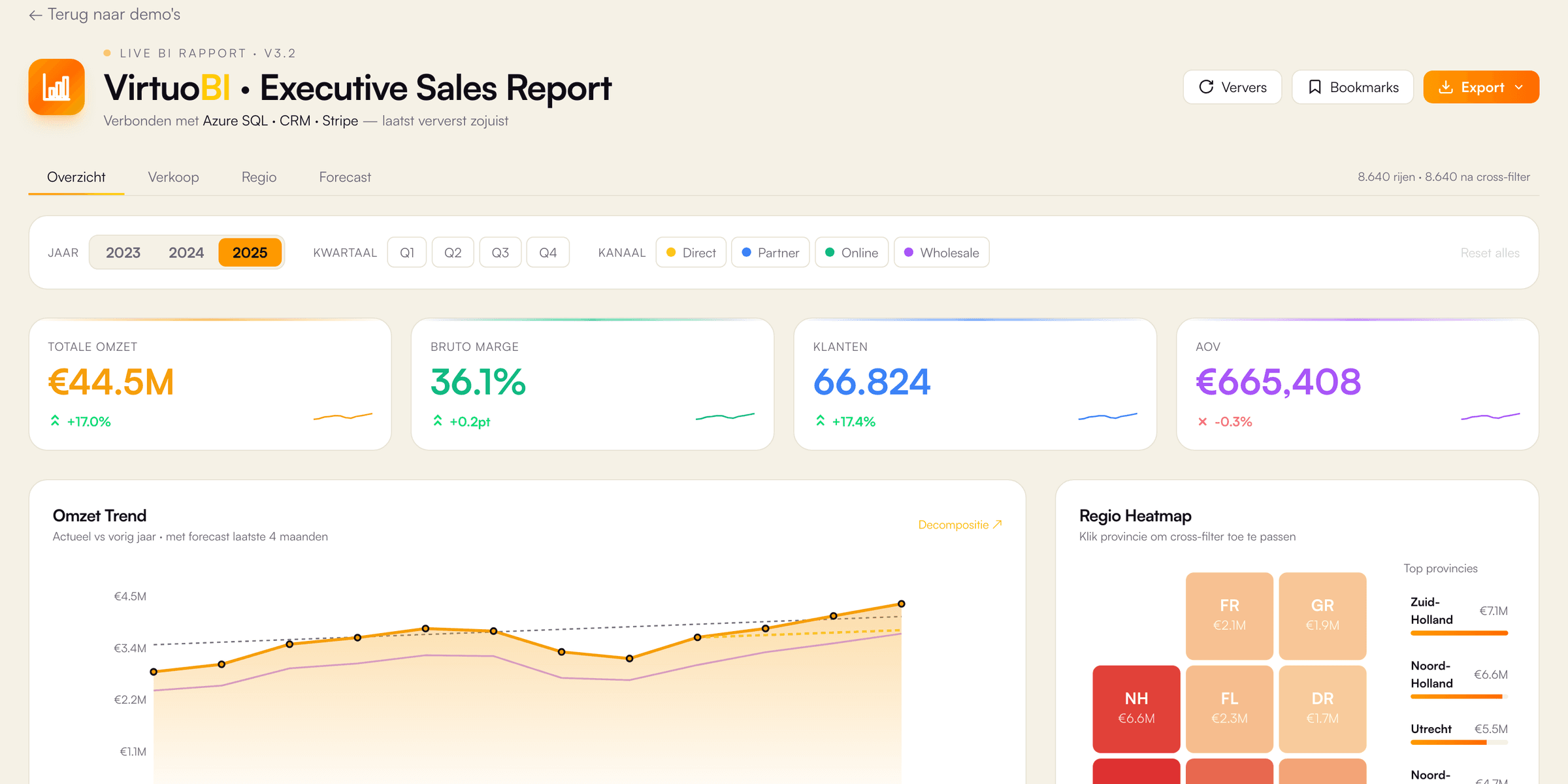
The VirtuoBI demo is an interactive sales report in the style of Microsoft Power BI, built by VirtuoLab as a React page with Next.js on virtuolab.dev. The report works on a fictional dataset of 25,920 rows for the years 2023, 2024 and 2025, with margins between 22% and 50% per row. First, four KPI cards show revenue, gross margin, customers and average order value, each compared with the previous year. Second, slicers filter by year, quarter, province, category and channel, and a click on a chart cross-filters the other visuals. Additionally, four report tabs cover an overview, sales, a heatmap of 12 Dutch provinces and a forecast. The forecast fits a linear regression on the first 9 months and projects the year-end result. Finally, a Q&A box answers short questions through keyword matching, for example about the top region, category, margin or channel, and four bookmarks apply saved filter views. The export menu only shows a confirmation, because the demo has no backend.
Which business problem does a sales dashboard like VirtuoBI solve, and for whom?
A sales dashboard like VirtuoBI solves the problem of scattered numbers: revenue, margin and customer data live in separate systems, and nobody sees one current picture. Directors, sales managers and finance staff in small and medium-sized businesses are the typical users. Without a dashboard, a manager exports data every month, merges the files by hand with Microsoft Excel and reads figures which are already weeks old. A shared report gives, for example, 20 people the same numbers at the same moment. Slicers and cross-filtering answer follow-up questions in seconds, such as which province drives growth or which channel earns the lowest margin. A year-end projection helps a board decide early whether targets are realistic. In practice, the value depends less on chart design and more on clean definitions: one agreed formula each for (1) revenue, (2) margin and (3) customer count. Therefore, every dashboard project by VirtuoLab starts with a short list of 5 to 10 KPIs and the exact source of each figure.
How does VirtuoLab build a Power BI dashboard for a real business?
VirtuoLab builds a Power BI dashboard for a real business in four steps, at a fixed price agreed in advance. Step 1 is a scope session about the KPIs, the data sources and the people who need access. Step 2 is design and validation: report sketches checked against real figures. Step 3 is building and testing, for example a data model in Microsoft Power BI with DAX measures and Power Query, or a custom React dashboard with Next.js and PostgreSQL. Refresh frequency is part of the design: according to Microsoft Learn, a semantic model on shared capacity refreshes up to 8 times per day, or up to 48 times on Premium, PPU or Fabric capacity. Finally, step 4 is launch and support. As an indication, a Starter dashboard with 1 to 2 sources costs €2,500 to €5,000, a Professional dashboard €5,000 to €12,500 and a custom React dashboard €12,500 to €35,000 or more. The exact price follows after a free introductory call.